Assign work in plain words. HAND Bot works step by step and stops where a person must decide.
HAND Bot is the application business users open every day to assign work to AI, follow it as it works, and approve the result — on the desktop and on the phone. HAND plans the work, calls your ERP, CRM, mailbox and other company systems, then waits for a person before any action with consequences.
An AI colleague that understands the work, does the work — and knows when to ask
Users assign work in plain business language — no syntax to learn, no need to know which system holds which data. HAND Bot plans the work itself, calls the company’s systems, executes step by step, then pauses to ask a person at exactly the points company policy requires.
HAND only proposes and prepares. Actions with consequences — writing to a source system, emailing outside the company, spending money — run only after a person approves. Every step cites its source, so anyone can check the figures HAND produces.
HAND Bot comes connected to ERP, CRM, MES, HCM, TMS, mailboxes and internal chat channels — and runs entirely within the enterprise’s own infrastructure.
From one sentence to an approved result
You can see which step HAND is on, which system it calls, how many rows it reads — and why it stopped.
“Reconcile September supplier balances and draft reminders for the mismatches.” Type it on the desktop, ask from your phone, or hand over an email.
It splits the job into steps and shows in advance which systems it will call and which permissions it needs.
It calls the ERP, mailbox and document stores through MCP with your own permissions. Each step logs time, source, row count and latency.
Where policy requires it, HAND stops and presents a proposal with its evidence and its consequences. No approval, no next step.
Once approved, the action runs. Results come back as tables, dashboards, reports or files — with the full trail for audit.
A yellow band on screen says it plainly: HAND is awaiting approval — it will not continue until a person decides.
One workspace, four main screens
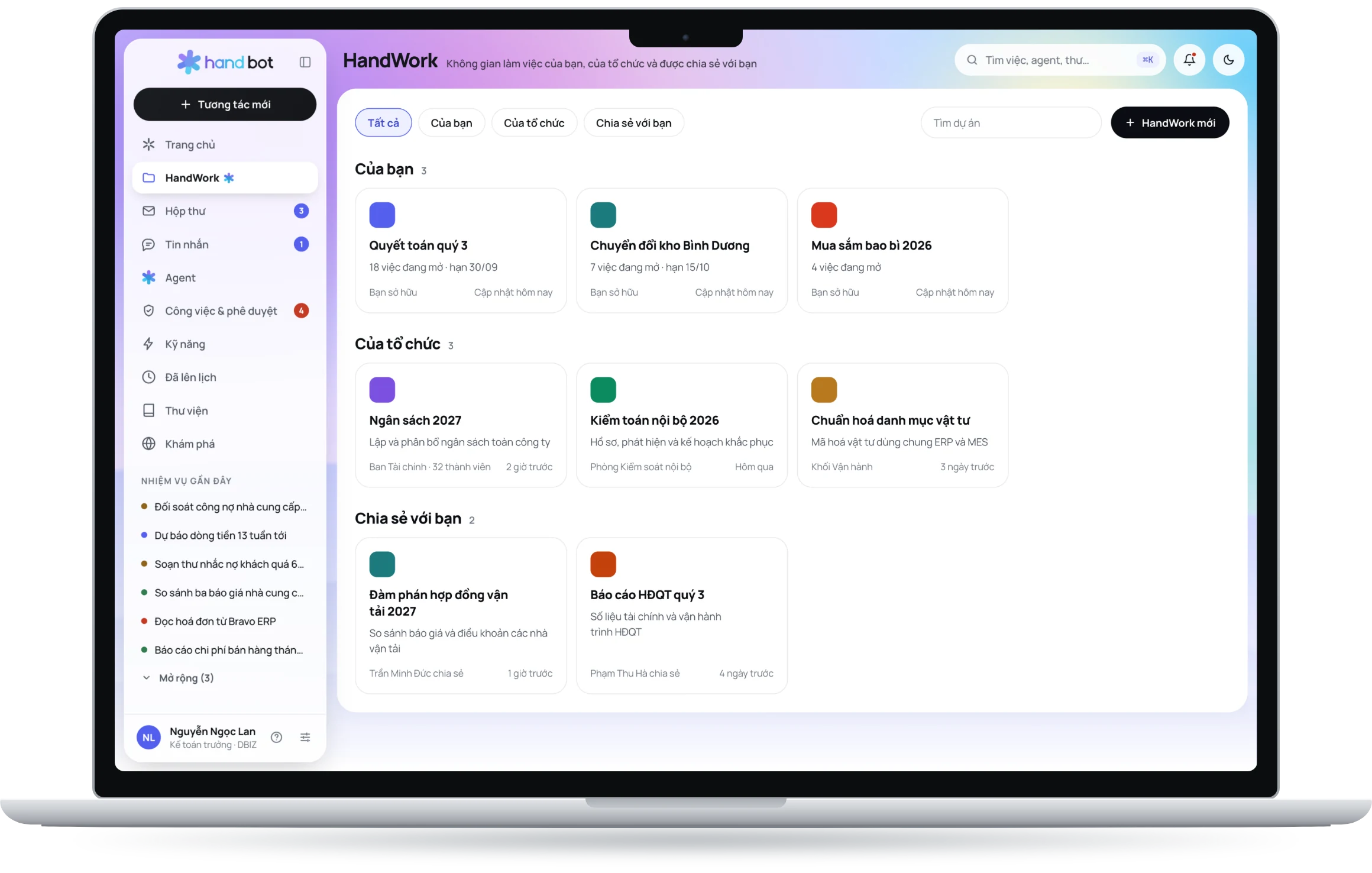
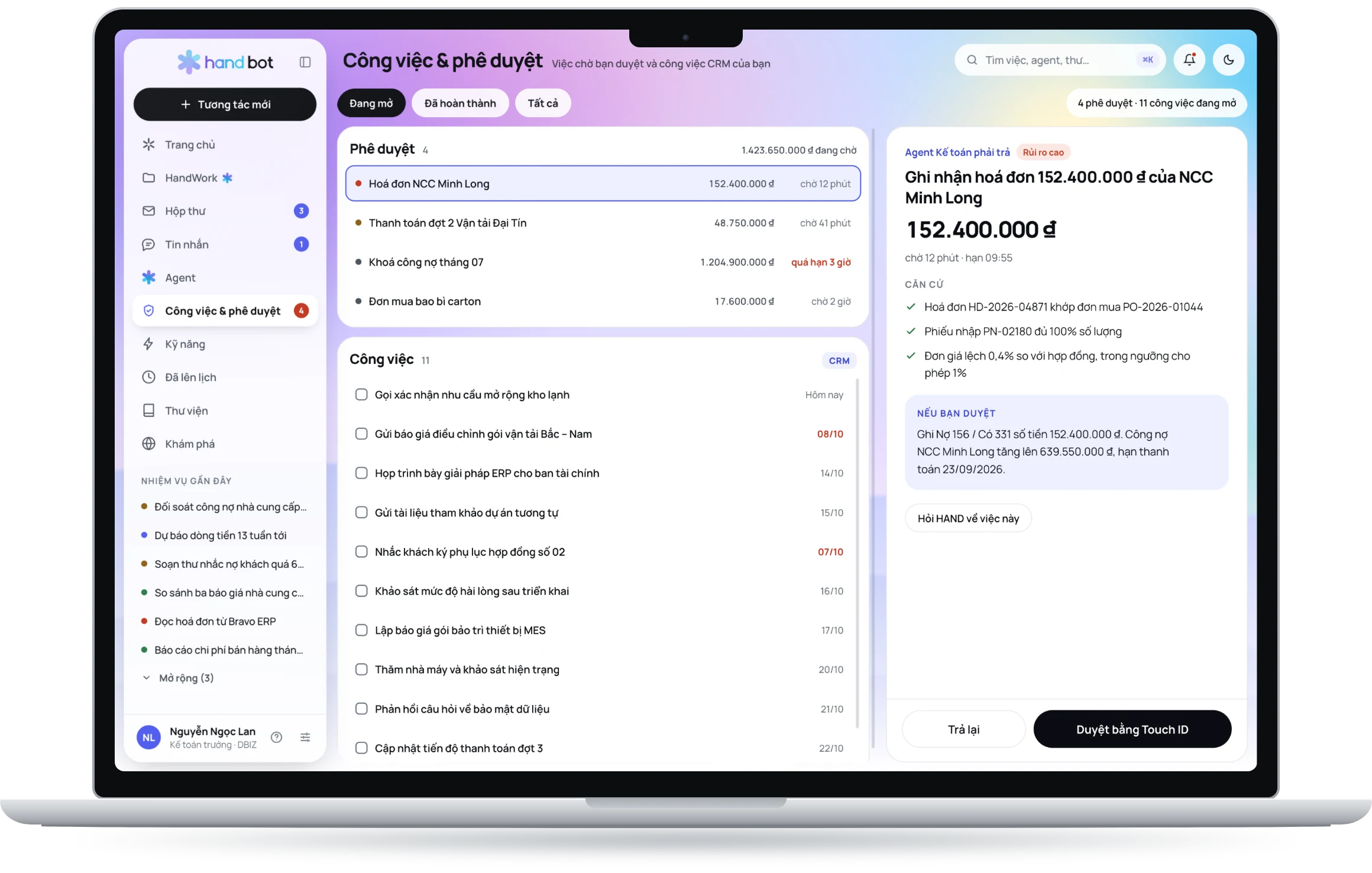
A personal home for each user, a HandWork for each stream of work, tasks and approvals in one place, and an agent list that shows who is doing what.
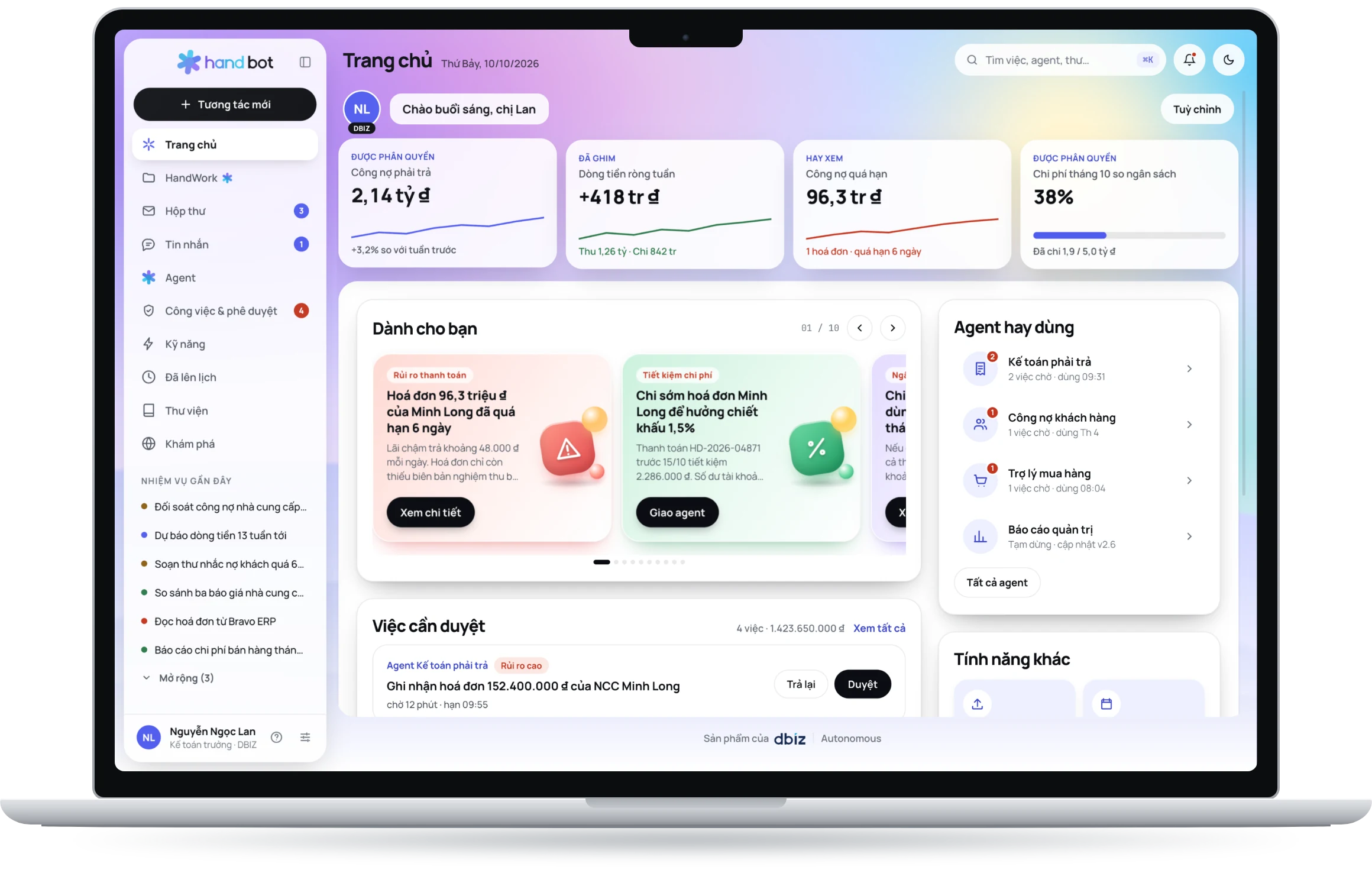
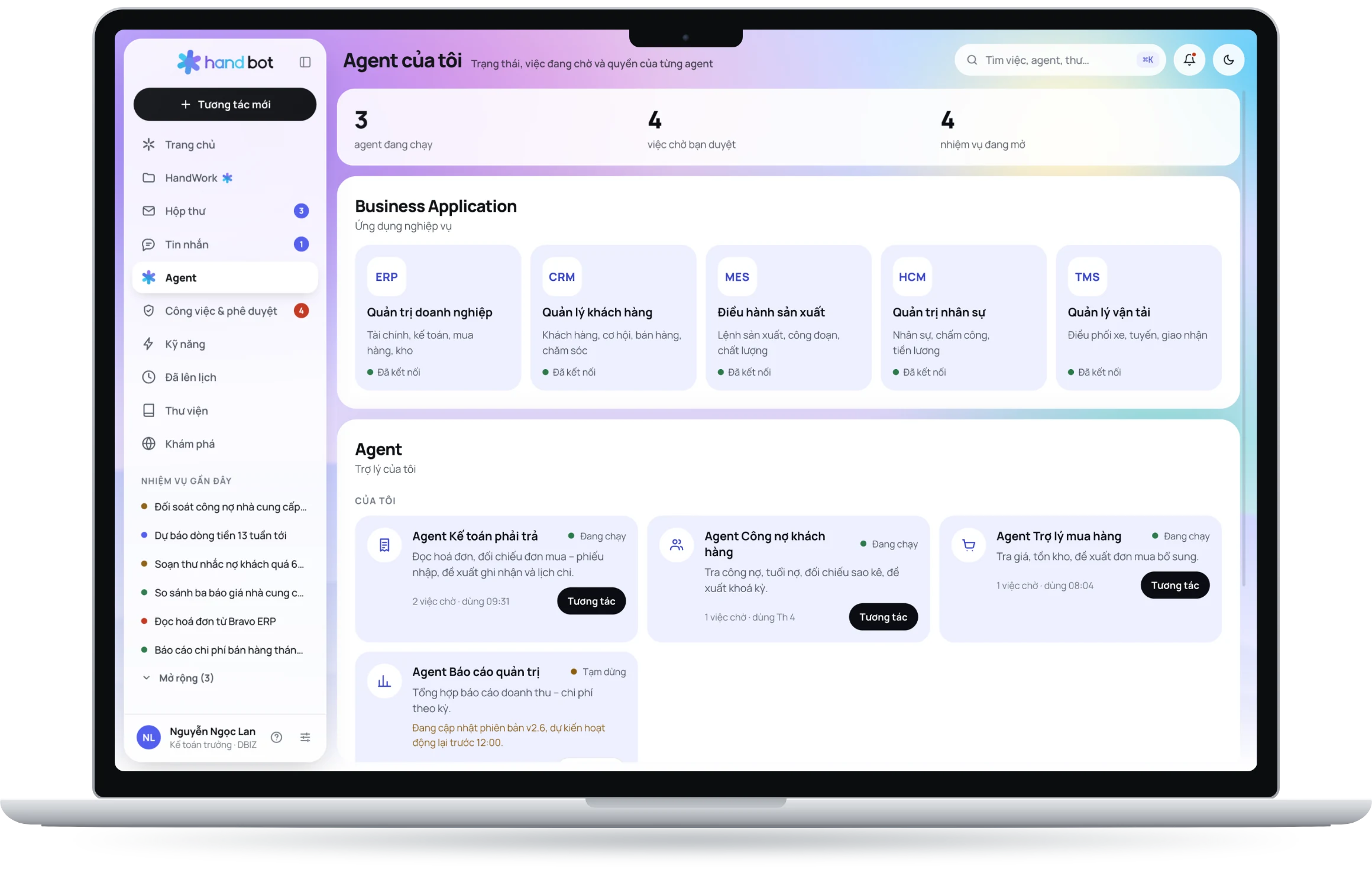
- Assign work in Vietnamese or EnglishOpen “New interaction” and ask an agent about figures, documents or policies in business language — inside the app or through the chat channels your company already uses.
- Proactive suggestions every dayHAND Bot reviews the data and brings the most valuable actions to the home screen: invoices about to fall overdue, early-payment discounts, spending over budget.
- Approvals backed by evidenceEvery write to a source system waits for a person, with the evidence and the consequences of approval shown; every action is logged for audit.
- A HandWork for every stream of workWorkspaces of your own, of your organisation and shared with you — agents work only within the context and the permissions of each HandWork.
- An interface shaped to your enterpriseActivated with a company email, HAND Bot builds its interface around the company’s website and industry, with light and dark modes and seasonal themes.
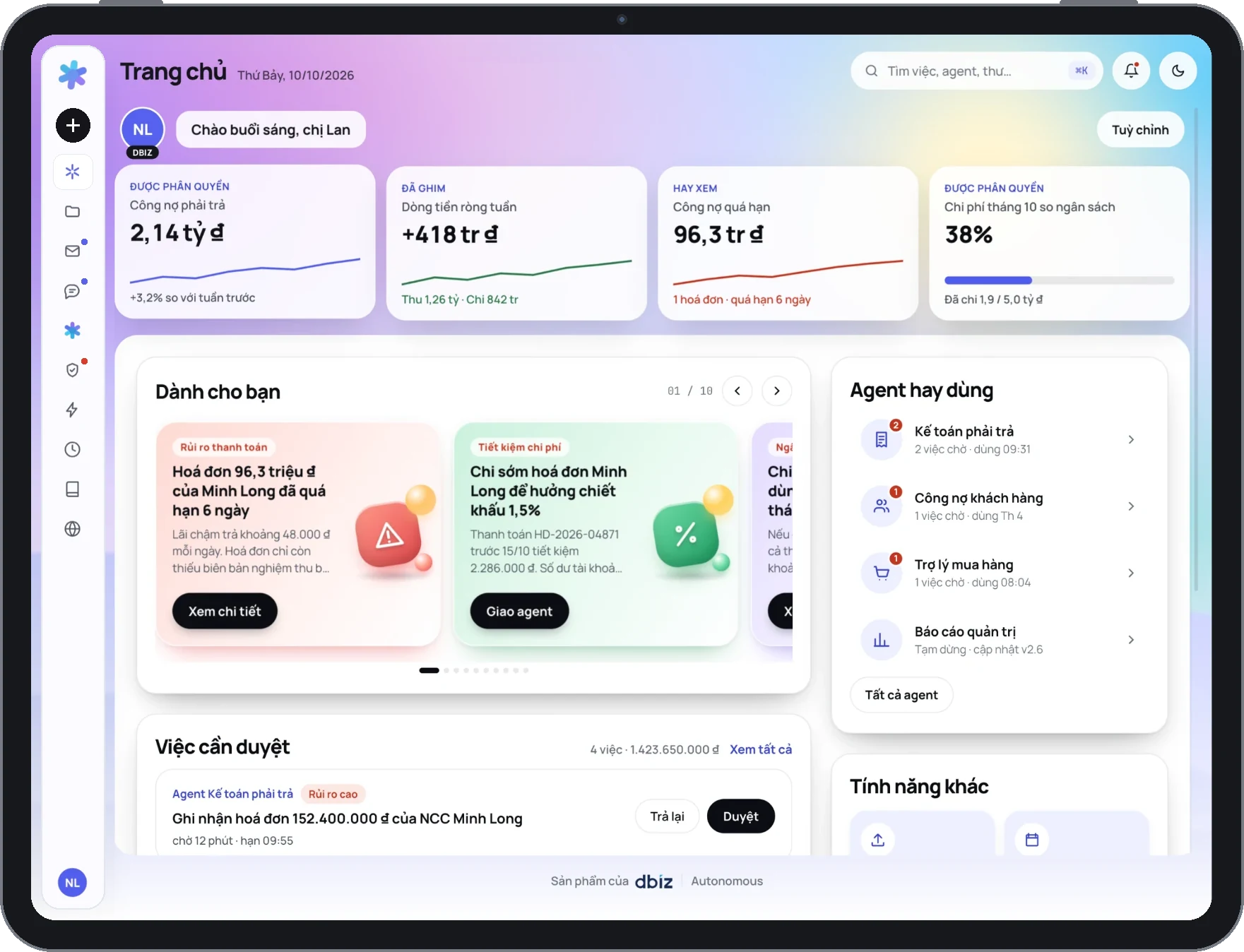
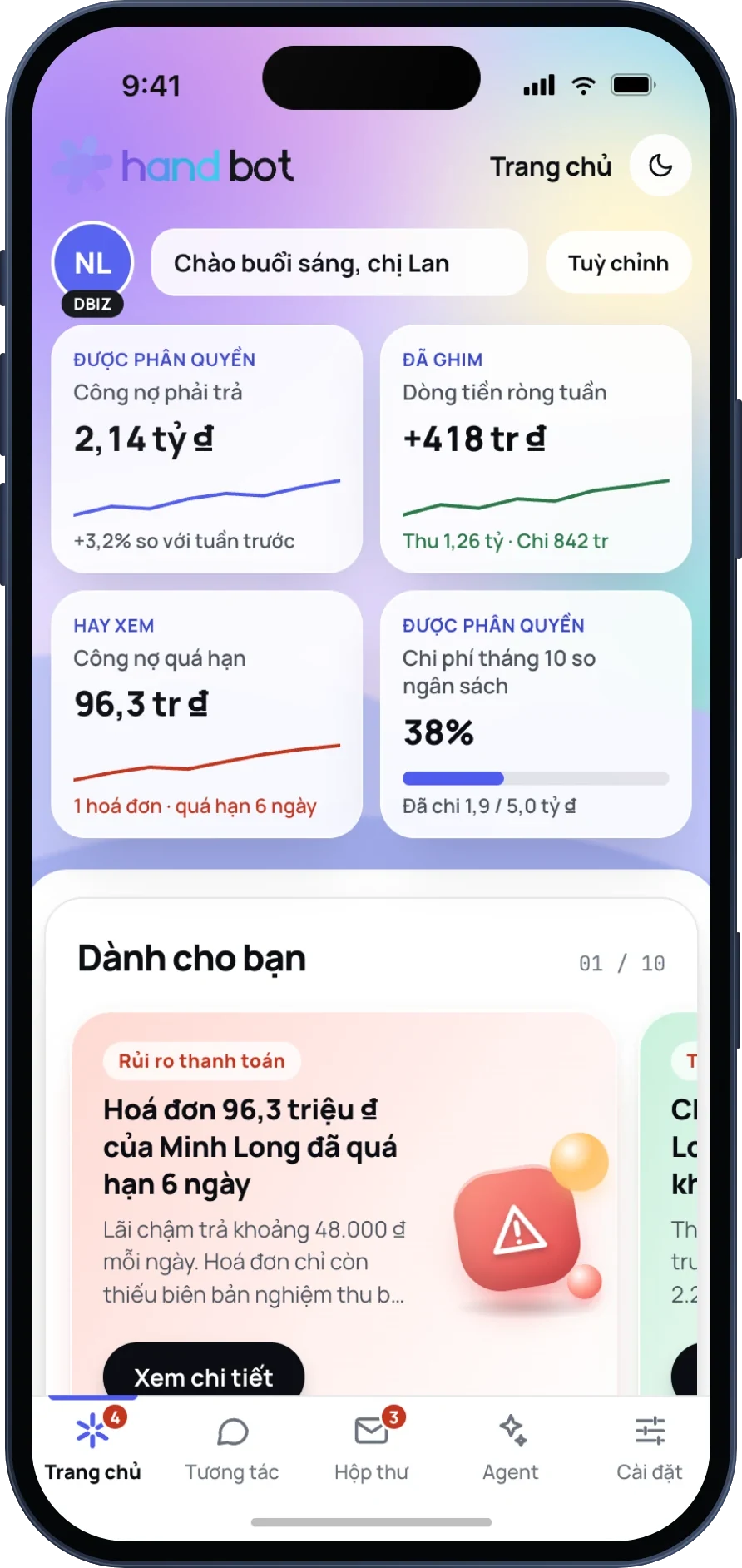
Home, Interact, Inbox, Agents and Settings in a single navigation bar: check your metrics, talk to an agent and approve work straight from the phone or iPad — foldable devices included.
The mobile app deliberately keeps a narrow scope — administration and configuration remain on the desktop, because performing those tasks on a small screen invites error and is rarely done in practice.
What HAND Bot does for business users
Not a chat window. A place where work is assigned, done, approved and recorded.
Ask quickly, let HAND run autonomously on a plan, or go in depth with multi-source research and reasoning. Toggle each connection per session; temporary chats are not stored.
Your company mailbox inside the app: HAND summarises each email, proposes next actions and drafts replies. Messages from Teams, Zalo OA and business chat channels land in one queue.
Each proposal comes with evidence, a step-by-step trace and the consequences of approval. Approve with Touch ID / Face ID, return it to the agent, or reassign it.
Data tables, dashboards, reports and files appear next to the conversation. Every cell traces back to its source; download or send on once approved.
Run agents on a schedule — daily reconciliation, Monday reports. Each morning HAND puts the most valuable actions on your home screen: invoices nearing due date, early-payment discounts, spending over budget.
A ready catalogue of connections for DBIZ systems and Microsoft 365; IT can declare custom connections and trial them read-only before enabling write access.
Group documents, tasks and agents by stream of work. The library keeps finished results; skills capture good ways of working for the whole team to reuse.
Read, compare and extract contracts, invoices and spreadsheets; run analyses in an isolated environment on the enterprise’s own servers.
Activated with a company email, HAND Bot builds its interface around your brand and industry; light and dark modes on mobile.
One role per agent, connected only to the systems it may use
HAND Bot ships with ready-made agents for the most labour-intensive processes. Which agents are on, what they may access and where they must stop for approval — the enterprise decides.
Matches invoices, purchase orders and receipts; flags mismatches and drafts supplier emails.
Tracks receivables ageing, prioritises who to remind, drafts emails and call lists.
Forecasts sales and cash flow from live data and explains why the numbers moved.
Warns of shortages and overstock; proposes purchase plans from norms and lead times.
Watches output, downtime and quality; alerts early when indicators drift.
Keeps customer data clean, flags opportunities about to slip, briefs you before meetings.
Combines figures from many systems into sourced reports in your company’s format.
Checks clauses against standard templates, marks risks, tracks expiry dates.
Need an agent for your own process? DBIZ consultants build it with you on DBIZ Autonomous.
AI is allowed to work. People still decide.
Five approval ticket types shared across desktop and mobile, each with its own colour and level of confirmation.
Spending, payments or adjustments above the limits in your delegation-of-authority policy.
Every outgoing email or message — internal Teams messages included — waits for approval.
Creating or changing records in ERP, CRM, HCM… through a connection with write access.
Adding to or editing the knowledge base agents use to answer.
Adding or changing the permissions of an MCP connection.
Approval rules the interface cannot switch off
- Every write to a source system and every outgoing email or message requires a human approver.
- Money thresholds are configurable, but can only be stricter than company policy.
- High-value transactions need two approvers; makers never approve their own tickets.
- Pending tickets are re-sent, then escalated; expired tickets cancel themselves.
- There is no direct send path: email leaves the system only after its ticket is approved.
Five things HAND Bot never violates
These are product constraints, not options. Any release that breaks one of them is blocked.
No external services are called at runtime. AI models run on in-house GPUs; data never leaves the enterprise.
Agents only propose and prepare. Actions with consequences run only after a person approves.
Every step records the system, time, row count and latency. Logs, conversations and approval decisions are kept for 180 days.
HAND has no rights of its own — it borrows the user’s identity and permissions, down to row and column level.
The HAND server sits in your internal network. Lose the internet but keep the LAN or VPN, and sign-in and work carry on.
Work on the systems you already use
Each system is an MCP connection through Secure & API Manager — one permission gate, one audit log.
Microsoft 365 and other cloud services that need the internet fade out automatically when the external link drops; every internal system keeps running.
Before you hand HAND its first job
How is HAND Bot different from a typical AI chatbot?
Is our data sent outside the company?
Can HAND send emails or write to the ERP on its own?
What data can HAND see?
What can the mobile app do?
How long does it take to roll out HAND Bot?
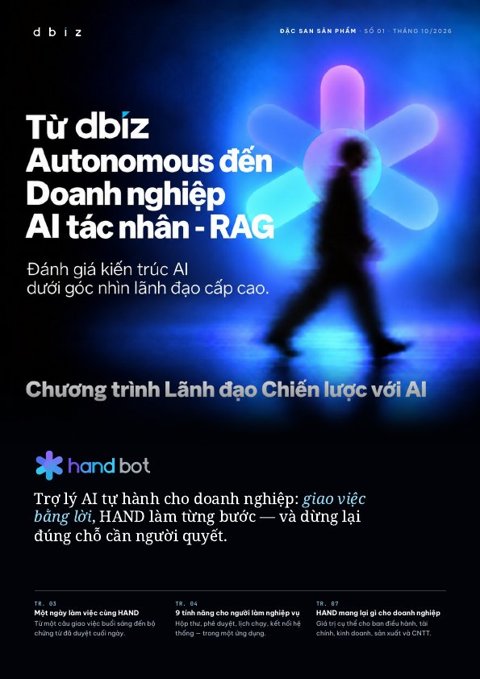
HAND Bot brochure · Issue 01 · October 2026
Eight pages on HAND Bot: a working day with HAND, nine key capabilities, the business agents, how HAND keeps the enterprise safe, and the value for each department.
Download the brochure (PDF) ↓Pick one process. Watch HAND do it on your data.
Book a demo: the DBIZ team prepares a scenario for your industry and shows HAND at work, from receiving the job to waiting for approval.
HAND Bot runs on DBIZ Autonomous · deployed inside your own infrastructure